



Bangladesh Education Board results are official examination outcomes published by the respective boards — General Education Boards, the Madrasah Education Board, and the Technical Education Board — and can be checked through three official methods: the government result website, SMS, or the board’s own portal. Every method requires the same core information: exam name, board name, roll number, registration number, and passing year.
This guide walks through every exam type, every checking method, and the most common errors students and parents run into — using only official board procedures, explained in plain language.
What You Need Before Checking Any Result
Have these ready before you start — most failed attempts happen because one of these is missing or mistyped:
- Exam name (SSC, HSC, Dakhil, Alim, etc.)
- Board name (Dhaka, Rajshahi, Madrasah, Technical, etc.)
- Roll number (from the admit card)
- Registration number (from the admit card — required for most website checks)
- Passing year
Important: Roll and registration numbers are different. The SMS method usually only needs the roll number, but the website method typically requires both roll and registration number. Mixing these up is the single most common reason people get an error.
Method 1: Checking Results on the Official Website
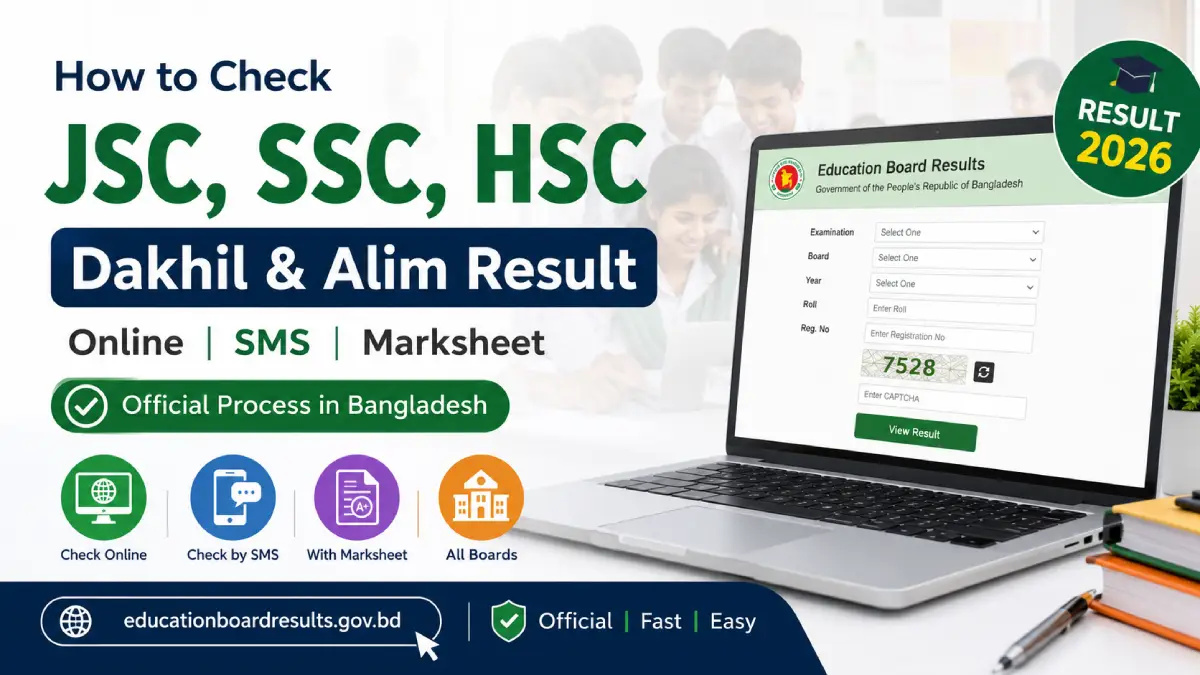
The primary official result portal for Bangladesh Education Board results is educationboardresults.gov.bd This single portal covers SSC, HSC, Dakhil, Alim, and equivalent vocational results across all boards.
Step-by-Step: Website Result Check
- Go to the official result website: educationboardresults.gov.bd
- Select your examination (SSC / HSC / Dakhil / Alim / equivalent) from the dropdown.
- Select the year of the exam.
- Select your board from the list (Dhaka, Rajshahi, Comilla, Jessore, Chittagong, Barisal, Sylhet, Dinajpur, Mymensingh, Madrasah, or Technical).
- Enter your roll number.
- Enter your registration number.
- Complete the simple security/verification step shown on screen (this varies by year — it may be a captcha or a basic math check).
- Click Submit to view your result.
Callout — Server Load Warning: During the first few hours after a result is officially published, millions of students attempt to check at once. If the site is slow or shows “server busy,” wait 15–20 minutes and try again rather than repeatedly refreshing, which can worsen the load issue for everyone.
What the Website Shows
The standard result page typically displays:
- Pass/Fail status
- GPA (Grade Point Average)
- Subject-wise grades (on the detailed marksheet view, where available)
Method 2: Checking Results by SMS
SMS checking works on any basic mobile phone and doesn’t require internet access, which makes it the most accessible method for rural areas or during website overload.
General SMS Format
The standard format sent to 16222 follows this pattern:
[EXAM] [SPACE] [BOARD FIRST 3 LETTERS] [SPACE] [ROLL NUMBER] [SPACE] [YEAR]SMS Format by Exam Type
| Exam | Example Format | Send To |
|---|---|---|
| SSC | SSC DHA 123456 2026 |
16222 |
| HSC | HSC DHA 123456 2026 |
16222 |
| Dakhil | DAKHIL MAD 123456 2026 |
16222 |
| Alim | ALIM MAD 123456 2026 |
16222 |
| Technical (Vocational) | SSC (VOC) TEC 123456 2026 |
16222 |
Verify before relying on this: Board abbreviations and exact formatting have occasionally been adjusted by the telecom/board authorities. If your SMS gets no reply or an error reply, confirm the current exact format on the official board notice board before assuming your information is wrong.
Step-by-Step: SMS Result Check
- Open your phone’s messaging app.
- Type the message using the correct format for your exam and board.
- Send it to 16222.
- Wait for the automated reply — this usually arrives within a few minutes but can take longer during high-traffic periods right after publication.
Method 3: Checking Full Marksheet (Not Just GPA)
Many students want subject-wise numbers, not just an overall GPA. Here’s the honest distinction:
- The basic SMS reply typically shows only GPA and pass/fail status.
- The website result page can show a more detailed breakdown, including subject-wise grades, depending on which board and which year — this has varied over time.
- The fully official marksheet document (the one schools use for official purposes) is usually collected from your own institution after results are published, not generated instantly online.
If you need an official, signed marksheet for university admission or job applications, check with your school/college directly — the downloadable online version is generally for personal verification, not official submission purposes.
Checking Results for Each Exam Type
SSC Result
The Secondary School Certificate (SSC) result is published by the nine General Education Boards. Use either the website method (selecting “SSC” as the exam) or the SMS format SSC [BOARD] [ROLL] [YEAR] to 16222.
HSC Result
The Higher Secondary Certificate (HSC) result follows the identical process to SSC — same website, same SMS shortcode: HSC [BOARD] [ROLL] [YEAR] to 16222.
Dakhil Result
Dakhil is the Madrasah equivalent of SSC, published by the Bangladesh Madrasah Education Board. Select “Dakhil” and “Madrasah Board” on the website, or use DAKHIL MAD [ROLL] [YEAR] for SMS.
Alim Result
Alim is the Madrasah equivalent of HSC, also published by the Bangladesh Madrasah Education Board. The process mirrors Dakhil : ALIM MAD [ROLL] [YEAR] for SMS.
JSC Result — Current Status Note
Important flag: JSC (Junior School Certificate) and JDC public examinations were suspended in recent years as part of broader changes to the assessment system at that level. Before relying on any JSC-specific instructions, verify the current status directly with the relevant education board or the latest government notice, since this has been subject to policy changes. We’re flagging this explicitly rather than presenting outdated information as current.
Technical / Vocational Board Results (BTEB)
Results for SSC (Vocational), HSC (Vocational), and Diploma programs under the Bangladesh Technical Education Board follow the same core website and SMS process: SSC (VOC) TEC 123456 2026 or HSC (VOC) TEC 123456 2026
Or Click here:
Technical / Vocational Board Results (BTEB)
Checking Institution-Wide Results (EIIN Method)
Schools, madrasahs, and colleges can check results for all their students at once using their institution’s EIIN (Educational Institute Identification Number) rather than checking roll numbers one by one.
- Go to the official result website.
- Look for the institution/EIIN-based result option (separate from the individual roll number lookup).
- Enter the EIIN number, exam, year, and board.
- Download or view the full list of results for that institution.
This is the standard method teachers and administrators use rather than manually checking each student individually.
Comparison: Which Method Should You Use?
| Method | Best For | Requires Internet | Speed | Shows Full Marksheet |
|---|---|---|---|---|
| Official Website | Detailed result view, most users | Yes | Fast (unless server is overloaded) | Sometimes, varies by board/year |
| SMS (16222) | Rural areas, no internet, basic phones | No | Moderate (few minutes delay) | No — GPA/pass status only |
| EIIN (Institution) | Schools checking multiple students | Yes | Fast | Bulk list view |
Common Errors and Troubleshooting
| Problem | Likely Cause | Fix |
|---|---|---|
| “No data found” | Wrong roll/registration number, or wrong year/board selected | Double-check every field against your admit card exactly |
| Website extremely slow or unresponsive | Server overload right after publication | Wait 15–20 minutes; avoid repeated refreshing |
| No SMS reply received | Wrong format, wrong board abbreviation, or network delay | Re-check exact format against official notice; wait a few extra minutes before resending |
| Result shows different information than expected | Data entry error at the board level (rare) or mismatched personal details | Contact your institution or the board directly — do not assume the website is simply wrong without checking your own entered details first |
| Can’t access the website from abroad | Occasional regional access restrictions on government sites | Try again after some time, or ask someone in Bangladesh to check on your behalf |
What to Do If You Think Your Result Is Wrong
If you believe there’s an error in your marks, Bangladesh Education Boards allow a board challenge / rescrutiny process (sometimes called “খাতা চ্যালেঞ্জ” or answer script rechecking) within a specific window after result publication — typically applied for via SMS or a designated online portal, with a small fee per subject.
This process, its exact fee, and its application window are set annually by each board and can change. [Internal link: Board Challenge Guide] covers this process in full detail — check there for the current year’s specific procedure before applying.
Frequently Asked Questions
1. How can I check my SSC result online?
Visit the official result website, select “SSC” as the exam, choose your board and year, then enter your roll and registration number to view your result instantly.
2. What is the SMS format to check HSC result?
Send HSC [first 3 letters of board] [roll number] [year] to 16222. For example, a Dhaka board student would send HSC DHA 123456 2026.
3. How do I check Dakhil and Alim results?
Use the same website, selecting “Dakhil” or “Alim” as the exam and “Madrasah” as the board, or send an SMS using the format DAKHIL MAD [roll] [year] or ALIM MAD [roll] [year] to 16222.
4. Can I get my full marksheet from the website, not just GPA?
Some boards and years show subject-wise grades on the website result page, but the SMS method only shows GPA and pass/fail status. For an official marksheet document, collect it from your school or college directly.
5. What if the website shows “No data found”?
This almost always means one field — roll number, registration number, board, or year — was entered incorrectly. Recheck each value against your admit card carefully before trying again.
6. What if I don’t receive the SMS reply?
Wait a few extra minutes, especially during high-traffic periods right after result publication. If there’s still no reply, verify you used the exact current format, since abbreviations have occasionally changed.
7. Can I check someone else’s result using their roll number?
Yes — the system only requires roll number, registration number, board, and year, none of which are tied to a personal login, so anyone with this information can check the result.
8. How can a school check results for all its students at once?
Schools use the EIIN-based lookup on the official result website, which returns results for every student registered under that institution’s EIIN number, rather than checking students individually.
9. What’s the difference between checking SSC result vs Dakhil result?
The process is identical — the only difference is selecting “Dakhil” instead of “SSC” as the exam type and “Madrasah” as the board, since Dakhil is administered by the Bangladesh Madrasah Education Board.
10. Is JSC result checking still applicable?
JSC/JDC public exams have been suspended in recent years as part of broader assessment changes. Confirm the current status directly with the relevant board before assuming JSC checking applies to your situation.
11. How long after the official publish time does the online result become available?
Results are typically available on the website at the same time they’re officially announced, though heavy traffic in the first few hours can make the site slow or temporarily unresponsive.
12. Why does the website say “server busy” and how do I fix it?
This happens when millions of users attempt to check results simultaneously right after publication. Waiting 15–20 minutes before retrying is more effective than repeatedly refreshing the page.
13. Can I check results from outside Bangladesh?
Yes, the official website is generally accessible internationally, though occasional regional access issues can occur. The SMS method won’t work from a non-Bangladeshi phone number, so website checking is the better option for those abroad.
14. What do I do if I think my result is wrong?
Bangladesh Education Boards offer a board challenge/rescrutiny process within a specific window after publication, applied for via SMS or an official portal for a small per-subject fee. Check the current year’s exact procedure before applying.
15. How do I check Technical/Vocational board results?
Select the Technical Education Board on the official website along with your specific vocational exam (SSC Vocational, HSC Vocational, or Diploma), or use the equivalent SMS format with the technical board’s abbreviation.
16. Is there an official mobile app for checking results?
The primary official channels remain the website and SMS system; always verify any app claiming to provide results is genuinely affiliated with the Education Board before entering personal information, as unofficial apps can pose privacy risks.
17. What information do I need before checking a result?
You need the exam name, board name, roll number, registration number, and passing year — all of which are printed on your admit card.
Suggested Internal Links (ArticlesSchool)
- SSC Routine → linked from the “SSC Result” section
- HSC Routine → linked from the “HSC Result” section
- GPA Calculator → linked from “What the Website Shows” section
- Board Challenge Guide → linked from “What to Do If You Think Your Result Is Wrong”
- Result Publish Date → linked from the intro and the SSC/HSC sections
- Education Board Grading System → linked from the GPA/marksheet section